Tamil Nadu Ration Card List: TNPDS Ration Card Details and Family Member Name Online

If you want to check the Tamil Nadu Ration Card List, Ration Card Details, Smart Card information, or Family Member Details online, you can use the official TNPDS (Tamil Nadu Public Distribution System) portal.
TNPDS provides online services related to Tamil Nadu ration cards and the Public Distribution System. Depending on the service available, users can access information related to their family card, family members, entitlement, allocation, transaction details and Fair Price Shop information.
In this guide, you will learn how to check Tamil Nadu Ration Card Details Online, view family member information and access important official TNPDS services.
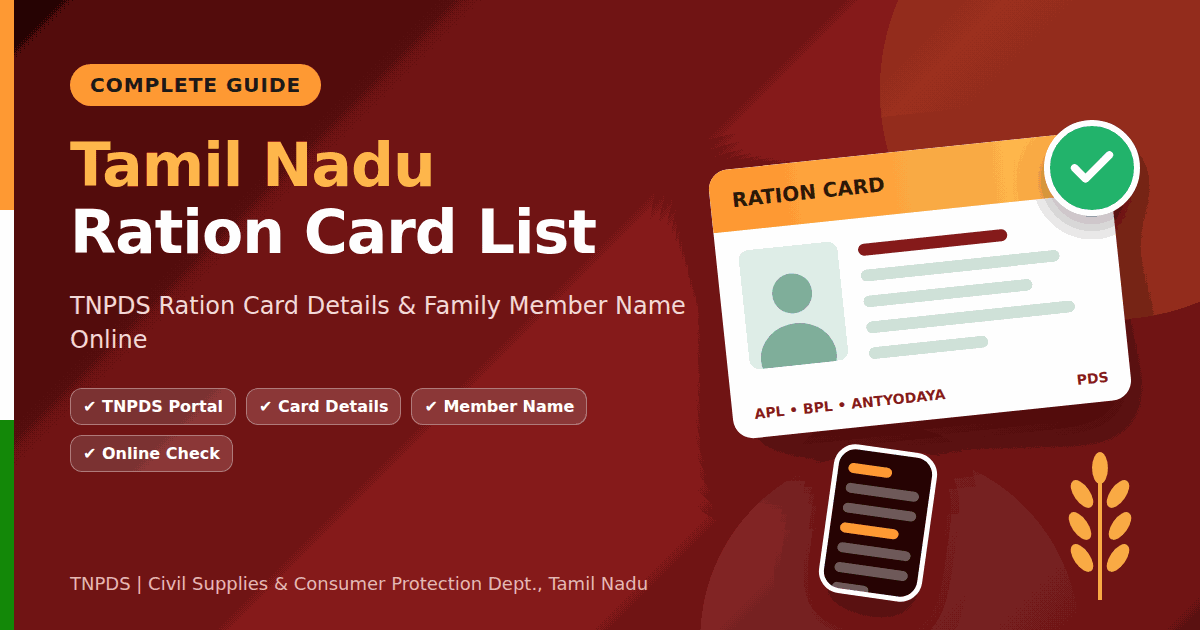
Tamil Nadu Ration Card List Online
The Tamil Nadu Ration Card List is related to the family-card records maintained under the Tamil Nadu Public Distribution System.
For online checking, you should use the official TNPDS portal instead of relying on third-party websites or unofficial ration card lists.
Official TNPDS Website
How to Check Tamil Nadu Ration Card Details Online
If you want to check your TNPDS Ration Card Details, follow the steps below.
Step 1: Open the Official TNPDS Website
Visit the official Tamil Nadu Public Distribution System website:
TNPDS Official Portal – Click Here
Step 2: Select the Ration Card or Smart Card Service
After opening the website, find the relevant Smart Card, Family Card or Ration Card service available on the portal.
The menu and service names may change when the official website is updated, so select the option currently shown on TNPDS.
Step 3: Enter the Required Details
Enter the information requested by the selected service.
Depending on the service, you may need to provide your registered mobile number, ration card/family card information or another required detail.
Step 4: Complete Verification
If the portal asks for an OTP or another verification method, complete the verification using your registered details.
Do not share your OTP or password with anyone.
Step 5: View Your Ration Card Details
After successful verification, the available information associated with your family card will be displayed.
The exact details shown can vary depending on the service and the information available in the government record.
How to Check TNPDS Family Member Details
If you want to check TNPDS Family Member Details, you can use the relevant family-card service available on the official TNPDS portal.
Steps to Check Family Member Name
- Open the official TNPDS website.
- Select the relevant Family Card or Smart Card service.
- Enter the required information.
- Complete OTP or other verification if requested.
- Open your family-card details.
- Check the Family Member Name and other available information.
If a family member’s name is missing or incorrect, you should use the official correction/update service or contact TNPDS support.
How to Check Tamil Nadu Smart Ration Card Details
Tamil Nadu uses a digital Smart Card system for its Public Distribution System.
To check your Tamil Nadu Smart Ration Card Details, visit:
From the official portal, select the applicable Smart Card or family-card service and follow the instructions displayed on the website.
Depending on the service, you may be able to view information related to your family card, family members and other PDS-related details.
How to Check Ration Card Number and Family Card Details
If you already have your Tamil Nadu Ration Card Number or Family Card Number, keep it ready before checking your details online.
Step-by-Step Process
Step 1: Open the official TNPDS portal.
Step 2: Select the applicable Ration Card or Smart Card service.
Step 3: Enter the information requested by the portal.
Step 4: Complete the verification process if required.
Step 5: View the available Tamil Nadu Ration Card Details.
What Details Can Be Checked on TNPDS?
Depending on the service and your authorized family-card record, TNPDS may provide information such as:
- Ration Card or Family Card Number
- Ration Card Status
- Family Member Names
- Family Member Relationships
- Registered Mobile Number
- Address and contact information
- Entitlement information
- Allocation details
- Purchase or transaction history
- Fair Price Shop information
- e-KYC or verification information, where available
The information available to you depends on the particular TNPDS service and the records maintained for your family card.
TNPDS Mobile App
TNePDS also provides mobile-based services for users.
Depending on the features currently available, users may be able to access ration-card and family-member information, entitlement, allocation and transaction details, Fair Price Shop information and other PDS-related services.
For secure access, use the official TNPDS source rather than downloading applications from unknown websites.
What If Tamil Nadu Ration Card Details Are Not Showing?
Sometimes your Tamil Nadu Ration Card Details may not appear because of incorrect information, a temporary technical issue, verification problems or an issue with the government record.
You can try the following:
- Check that all entered information is correct.
- Make sure your registered mobile number is active.
- Try again after some time if the website is temporarily unavailable.
- Check whether your family-card information has been updated.
- Contact the official TNPDS support service if the problem continues.
TNPDS Official Support
For official information and support, visit:
TNPDS Official Policy & Information Page
The official TNPDS information page lists the available support details and service information.
Important Official Links for Tamil Nadu Ration Card
| Purpose | Official Link |
|---|---|
| TNPDS Official Website | Open TNPDS |
| Ration Card / Smart Card Services | Open TNPDS Portal |
| Family Member Details | Open TNPDS Portal |
| TNPDS Support & Information | Official Information Page |
Note: Government portals can change their service pages and menu structure. If a particular service opens through the main portal, follow the current menu shown on the official TNPDS website rather than using an old or unofficial direct URL.
Frequently Asked Questions
How can I check the Tamil Nadu Ration Card List online?
You can use the official TNPDS portal to access the available family-card and ration-card services and check information associated with your card.
How can I check Tamil Nadu Ration Card Details?
Open the official TNPDS portal, select the relevant Ration Card or Smart Card service, enter the requested information and complete verification if required.
How can I check TNPDS Family Member Details?
Open the official TNPDS website and select the applicable family-card service. After completing the required verification, the available family-member information can be viewed.
What is TNPDS?
TNPDS stands for Tamil Nadu Public Distribution System. It provides digital services related to ration cards and the Public Distribution System in Tamil Nadu.
What is a Tamil Nadu Smart Ration Card?
A Tamil Nadu Smart Ration Card is part of the digital family-card system used under the state’s Public Distribution System.
Can I check ration card information using my mobile?
Yes. TNPDS provides mobile-based services through which users can access available ration-card and PDS-related information.
What should I do if my family member’s name is missing?
If a family member’s name is missing or incorrect, use the appropriate official TNPDS correction/update service or contact the department for guidance.
Is TNPDS an official service?
Yes. TNPDS is the official digital platform associated with Tamil Nadu’s Public Distribution System and the Civil Supplies and Consumer Protection Department.
Conclusion
The Tamil Nadu Ration Card List and related TNPDS Ration Card Details can be checked through the official Tamil Nadu Public Distribution System portal.
Users can access available information related to their Tamil Nadu Smart Ration Card, Family Member Details, ration card information and other PDS services online.
For secure and accurate information, always use the official TNPDS website and avoid sharing your OTP, password or other confidential information with third parties.
